
TLDR
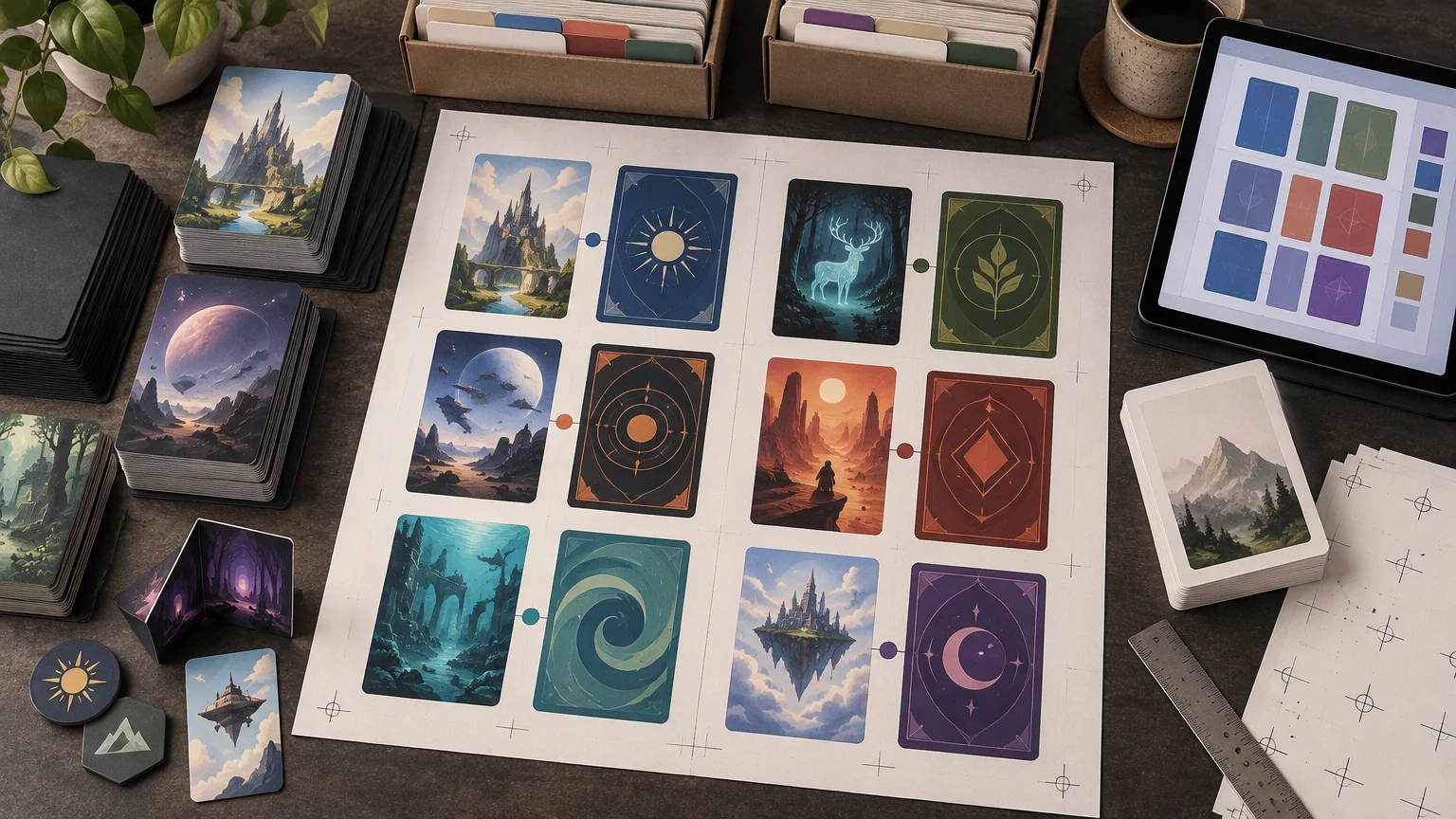
Double sided TCG proxy printing is primarily a file-pairing problem. First classify each component as a shared-back card, a unique front-and-back pair, a card that flips during play, or a face-only insert intended for an opaque sleeve. Then create an inventory, give every unique pair a matching ID, confirm the finished size, and inspect both sides in the printer’s proof. Never rely on upload order to communicate which back belongs with which front.
The difficult part is not supplying two images. It is preserving the relationship between those images through file preparation, upload, imposition, and proof approval. One misplaced back can affect every copy of a component, while an orientation mistake may remain hidden until a card is turned over during play.
What “double-sided” means in a TCG project
A request for double-sided cards can describe several different production structures. Identifying the structure before arranging files prevents the printer from having to infer your intent.
| Project structure | What the reverse does | Preparation method |
|---|---|---|
| Shared deck back | The same reverse appears behind many or all card fronts | Submit one clearly labeled shared-back file and identify every group that uses it. |
| Unique paired reverse | Each front has a particular back | Assign a component ID to both files and document each pair. |
| Gameplay flip component | The component turns over or changes state during play | Pair both faces, record the intended orientation, and proof the transition. |
| Face-only sleeved insert | Only the playable face is printed | Print the face and place it over a backing card in an opaque sleeve. |
| Reference or token component | The reverse may contain reminders, token information, or another utility face | Inventory it separately rather than treating it as an ordinary main-deck card. |
A shared back is one design repeated behind multiple fronts. A unique paired reverse is different: every front must remain attached to one specific back. Flip components add another concern because their orientation affects how they read when turned during play.
For a concrete game-specific example, the official Star Wars: Unlimited how-to-play material describes leaders that begin undeployed and flip when deployed. It also notes that common bases place token information on the reverse. Those components should not disappear inside a generic “deck back” group just because they are stored with the main deck.
Decide which components actually need printed reverses
Start by dividing the project according to function rather than artwork. Main-deck cards may need one shared back, while leaders, identities, bases, equipment, tokens, or reference cards may require unique treatment. A game can contain several of these structures in one project.
- Use a shared-back group when every included front intentionally receives the same reverse.
- Use unique pairs when a particular front must always match a particular reverse.
- Separate cards that flip during play so their orientation can be checked individually.
- List leaders, bases, identities, tokens, and reference cards by their actual component type or game zone.
- Treat face-only publisher files as face-only unless you have confirmed a supported and appropriate reverse workflow.
- Record quantities at the component level, especially when a unique pair needs multiple identical copies.
Do not assume that a printer supports every combination of shared and unique backs in one upload. Proxy Foundry’s cross-game workflow guidance recommends confirming card size, fronts and backs, special zones, pairings, and whether the requested back setup is supported. For a broader look at choosing an input method by game, see the cross-TCG proxy printing workflow guide.
Build a front-and-back component inventory
An inventory is the control document for the project. It tells you what should exist before upload and gives you a line-by-line checklist when the proof arrives. A spreadsheet works well, but a plain text list is sufficient for a small project.
| Field | What to record |
|---|---|
| Component ID | A short unique identifier, such as LDR-001 or MAIN-014. |
| Component type | Main deck, leader, base, identity, token, reference card, or another game-specific category. |
| Quantity | The number of finished copies required. |
| Front file | The exact filename for the front. |
| Back assignment | The exact back filename or a shared-back group label. |
| Orientation note | The expected top edge or flip direction, if relevant. |
| Game or zone | Where the component belongs in the project. |
| Proof status | Unchecked, approved, or correction requested. |
Reconcile the inventory in two ways. First total the quantities by component type. Then total the files or pair assignments inside each group. If the main deck count is correct but the special-component count is not, the category totals reveal the problem before it becomes a production error.
This step matters even for a mixed-game project. Different games can require different dimensions, zones, backs, and orientations. Keep a separate inventory section for each game instead of placing every image into one undifferentiated folder.
Use explicit paired-file names
Give the front and back of a unique component the same base ID. Add a side label that cannot be confused with a version number.
- LDR-001_FRONT.ext
- LDR-001_BACK.ext
- BASE-002_FRONT.ext
- BASE-002_BACK.ext
- MAIN_SHARED_BACK.ext
The extension depends on the printer’s accepted format, so do not convert the entire project until that requirement is confirmed. Avoid ambiguous labels such as “image-final,” “back-new,” or “version2.” They become especially risky when files are sorted alphabetically or revised more than once.
For shared backs, name the group as well as the side: for example, DECK-A_SHARED_BACK. The inventory should identify every front assigned to DECK-A. For unique pairs, the matching ID should appear in both filenames and in the inventory. Proxy Foundry’s workflow guidance likewise calls for clear front/back labels rather than leaving pairings implicit.
Upload order should never be the only pairing instruction. File browsers, transfer tools, and production interfaces may display or sort assets differently. A documented relationship survives reordering.
Confirm finished size before arranging the files
Do not place every TCG component into a template simply because the cards look similar on screen. Card-size families are not interchangeable. As one practical illustration, Dragon Shield lists standard sleeves for cards up to 63 × 88 mm and Japanese-size sleeves for cards up to 59 × 86 mm. Those are sleeve-fit limits rather than manufacturing specifications, but they demonstrate why “standard” and “Japanese size” should not be treated as synonyms.
Verify the intended finished dimensions for the game and component, then use the selected printer’s current template for production-specific trim, bleed, and safe-area requirements. Do not transfer a bleed measurement, corner treatment, or page layout from another provider without checking it. Game dimensions describe the finished component; the production template describes how the printer needs the file prepared.
This distinction also matters when consulting broader printing resources. General prepress concepts can explain trim and bleed, but the current printer template remains the controlling specification for an actual order.
Do not impose fronts and backs into a duplex PDF unless the printer requests that format. Some workflows may prefer individual files, a manifest, or another pairing method. Ask before spending time building a large document that must later be dismantled.
Set orientation deliberately
There is no safe universal instruction that every reverse should be rotated the same way. The correct relationship depends on how the component is meant to turn, how the artwork reads, and how the production workflow interprets front and back orientation.
Add an orientation note for every unique paired or flipping component. If words such as “portrait” and “landscape” could still be ambiguous, provide a low-resolution reference diagram showing the intended top edge of each face. The diagram communicates pairing and orientation; it should not replace the production files.
A useful paper check is to print both faces inexpensively, mark their top edges, place them back to back, and turn the component in the way a player would during a game. This is a layout check, not a substitute for the printer’s proof.
Proof checklist for double sided TCG proxy printing
Review the proof against the inventory rather than scrolling through images and approving them from memory. Proxy Foundry’s published guidance specifically identifies card size, fronts and backs, special zones, and front-to-back pairing as proof-review concerns.
- Every expected component appears in the proof.
- Each unique front is paired with the correct reverse.
- Every shared-back group uses the intended back and no other group’s back.
- Leaders, bases, identities, tokens, references, and other special components are present in the right quantities.
- The top edge and flip direction are correct for each unique pair.
- Portrait and landscape components have not been rotated unintentionally.
- Text remains readable at finished size.
- Borders and important content stay within the printer’s current template boundaries.
- The quantities in each category match the inventory.
- Old versions and superseded corrections have been removed.
- Standard-size and smaller card families have not been combined into one assumed size.
- Every requested correction appears in the revised proof before approval.
When reporting a correction, identify the component ID, current front, current back, desired replacement, and orientation. “The leader back is wrong” is less actionable than “LDR-001_BACK should replace the reverse currently paired with LDR-001_FRONT.” Proxy Foundry’s contact page says support can assist with proof issues including cropping, borders, versions, saturation, missing cards, and mismatched names.
When a face-only sleeve workflow is the better fit
Not every project benefits from printed reverses. A face-only workflow is often simpler when the publisher distributes print-and-play fronts without backs or when cards will remain in opaque sleeves over backing cards.
Netrunner provides a clear example. Null Signal Games’ print-and-play FAQ states that its print-and-play files do not include card backs and describes placing printed faces with backing cards in opaque sleeves. In that workflow, the backing card supplies stiffness and opacity; it is not a printed reverse paired during production.
That distinction changes the job. You still need to verify face quantities, scale, and cutting, but you do not need to create or manage a unique reverse for every card. Readers preparing that game can use the Netrunner card size and print file setup guide for the game-specific steps.
What to send before requesting a large project
Before asking a printer to assess a large double-sided project, prepare a compact project summary. It should include the game name, intended finished size, component inventory, quantities, shared-back groups, unique pair list, orientation notes, and a sample set of files. State whether you currently have individual images, paired files, or an imposed document.
Ask the printer to confirm the accepted file type, naming or manifest requirements, orientation convention, proof format, and support for your mix of shared and unique backs. Resolve those questions with a small sample before preparing hundreds of assets.
Final preflight
A dependable double-sided project has three layers of control: a component inventory, filenames that preserve every front/back relationship, and a proof checked against both. Confirm the finished size and submission format first; then verify special zones, shared-back groups, unique pairs, orientation, and quantities. If the project can work as face-only inserts in opaque sleeves, decide that before creating unnecessary reverse files. The next practical step is to build a ten-line sample inventory and ask the printer to confirm how those exact components should be submitted.