
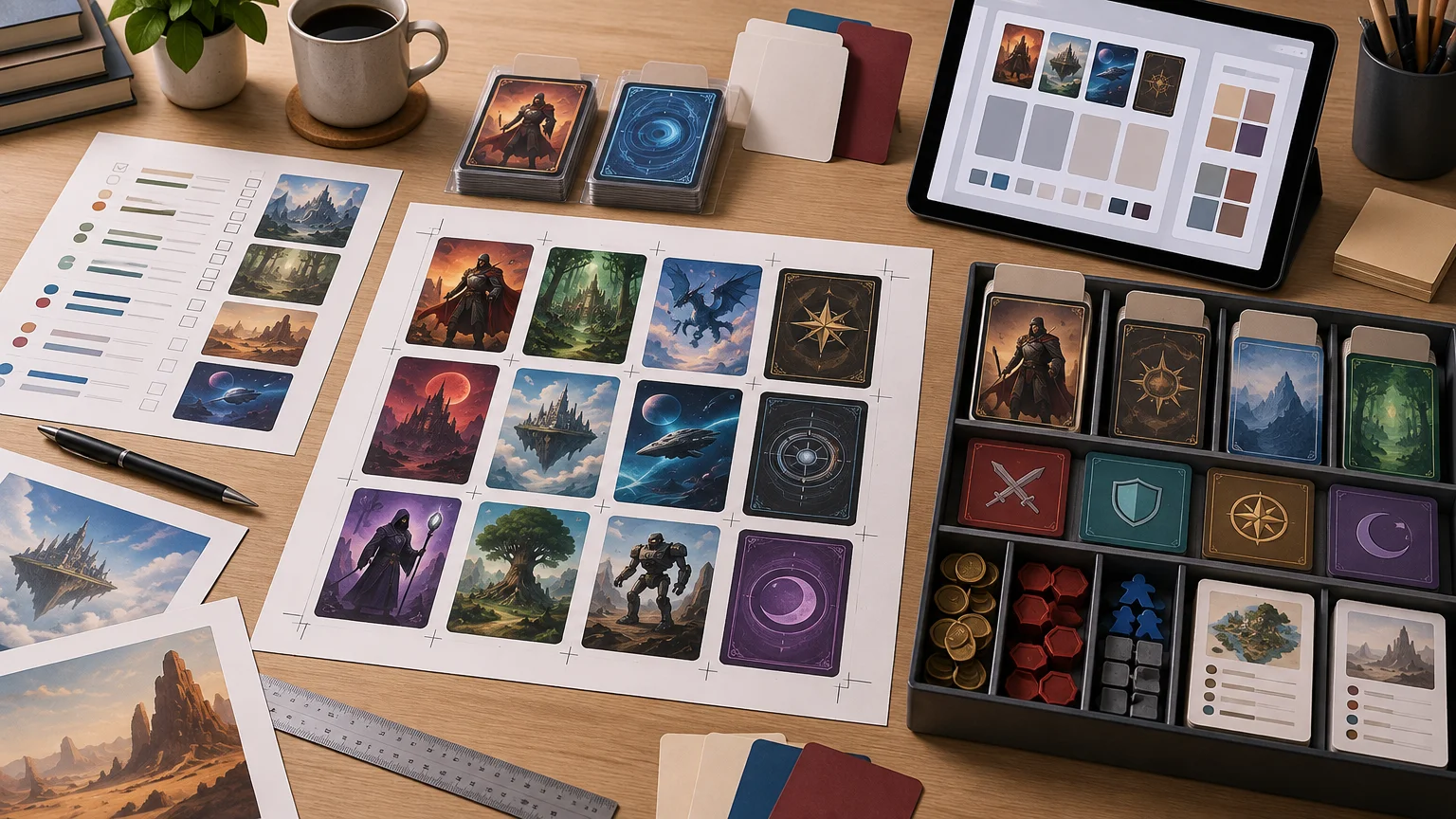
TLDR: Choose a proxy printing workflow from the material you already have. Submit a decklist when the printer can identify the exact cards and versions from a clean list. Upload finished card graphics when appearance, custom content, or a particular treatment matters. Prepare a separate component package when the game uses leaders, identities, tokens, resources, reference cards, or other pieces that do not belong in the main deck. Before production, confirm physical size, quantities, fronts and backs, special zones, and every image in the proof.
Proxy printing is not one universal deck-to-cards process. A list that works neatly for one TCG may omit a leader in another, merge two separate decks in a third, or assume the wrong physical card format. The most reliable approach is to begin with the structure of the game, then choose the simplest submission method that preserves that structure.
Proxy Foundry currently describes a workflow in which a customer selects a game or format and supplies a decklist, card list, or card graphics. It also states that mixed-game projects are possible. That establishes several possible starting points, but it does not mean every deckbuilder export, image format, or named game is automatically supported. Confirm the current configurator and service details before preparing a large project.
Choose a decklist, card-file, or component workflow
| Starting material | Best fit | Main risk to resolve |
|---|---|---|
| Decklist or card list | Known cards that can be identified unambiguously | Wrong version, omitted zone, or unsupported list format |
| Finished card graphics | Custom cards or projects where visual selection matters | Incorrect dimensions, inconsistent crops, or missing backs |
| Custom component package | Leaders, identities, tokens, resources, dividers, and reference cards | Extras being omitted or counted as main-deck cards |
| Mixed package | Projects combining identifiable cards with custom or special components | Unclear instructions and duplicate quantities |
A decklist is usually the lowest-friction starting point when each line clearly identifies what should be printed. It lets the production workflow handle image selection rather than requiring you to collect and rename every card graphic. The tradeoff is control: if a card has several versions, treatments, languages, or artworks, a name and quantity may not communicate your intended choice.
Use card files when the image itself is the specification. This is the better route for original playtest designs, community print-and-play material, translated reference cards you are permitted to use, or projects where a particular visual version matters. Files shift more responsibility to you: every front must be present, correctly assigned, consistently sized, and readable at the intended print dimensions.
A component package is useful when neither a conventional decklist nor a folder of undifferentiated images describes the project properly. For example, a special identity card may need one copy while the main deck contains repeated cards. Keeping those groups separate makes the order easier to count and proof.
Card size comes before page layout
Do not begin by dropping every image into a familiar nine-card page template. First identify the required finished-card size and the sleeve format you intend to use. “Standard” and “Japanese size” are not interchangeable labels: Dragon Shield says its standard sleeves fit cards up to 63 × 88 mm, while its Japanese-size sleeves fit cards up to 59 × 86 mm and are intended for Yu-Gi-Oh! cards. Dragon Shield’s sleeve FAQ These are sleeve-fit limits, not universal print templates or proof that every game in a category uses the maximum dimensions.
The practical lesson is to match three things before production: the intended finished size, the printer’s current file template, and the sleeves or backing cards used at the table. A file can have ample pixel detail and still be wrong if its proportions do not match the required card. Conversely, forcing a Japanese-size design into a standard-size canvas without a deliberate border or crop decision can change the visual balance.
Finished size is also different from bleed and safe area. Finished size describes the trimmed card. Bleed is image area extending beyond the trim to tolerate cutting variation, while the safe area keeps important text and symbols away from the edge. Because the supplied service evidence does not establish universal bleed, safe-area, resolution, or accepted-format specifications, obtain those requirements from the printer’s current template rather than copying settings from an unrelated game or provider.
Inventory everything beyond the main deck
The card count shown by a deckbuilder is not always the complete print count. Before exporting anything, translate the game’s zones and physical aids into an order inventory. This is where a cross-TCG workflow differs most from a generic deck upload.
- Main-deck cards, including repeated copies and basic or generic resources if they are required in the physical project
- Separate decks or zones that should not be merged into the main-deck count
- Leaders, identities, bases, heroes, equipment, or other persistent game pieces
- Tokens, markers, reminder cards, and reference cards that need a card-shaped print
- Alternate states, paired faces, or other cards requiring explicit front-and-back mapping
- Deck dividers or labels, kept separate from playable-card quantities
- Extra copies intended as replacements, matchup options, or a larger testing pool
Use separate groups even if the ordering interface eventually combines them. A plain structure such as “Main Deck,” “Special Zone,” “Tokens,” and “Reference Cards” is easier to audit than one long list. For a mixed-game project, create a top-level folder or worksheet section for each game before dividing it into zones. Proxy Foundry states that mixed-game orders can be submitted, but size and component instructions still need to be clear for each group.
Prepare a clean decklist for proxy printing
A useful submission list is boring and explicit. At minimum, each entry should have a quantity and an exact card name. Add a set, version, language, treatment, or image note only when it changes what should be printed. Do not assume comments, maybeboards, collection tags, or custom categories from a deckbuilder will be interpreted as production instructions.
A clean generic structure might read “3 Card Name — preferred version” under a clearly labeled deck section. A separate line such as “1 Identity Name — identity card” prevents that special component from being mistaken for another main-deck copy. If visual selection is essential, attach the intended image instead of relying on a long textual description.
- Remove cards that are only in a wishlist, maybeboard, or consideration section.
- Confirm that the total for each deck zone matches the project you intend to receive.
- Standardize card names and correct spelling rather than using personal abbreviations.
- Specify versions only where the distinction matters; otherwise allow the agreed default workflow to apply.
- Place custom cards and unmatched names in a separate exception list with corresponding files.
- Save a human-readable copy of the final list so the proof can be checked against the submitted quantities.
A printer stating that it accepts decklists does not establish compatibility with every export format or deckbuilding website. If the current order page does not name your format, convert the export into a simple text or spreadsheet list and ask what can be processed before spending time on extensive formatting.
Package card files so their purpose is obvious
File-upload projects benefit from predictable naming and folders. Give each image a name that connects it to the inventory, and include the required quantity where the ordering system does not capture that separately. Names such as “front-final-2” become difficult to audit once several cards share similar filenames.
For paired faces, use matching names with clear front and back labels. Do not assume the system will infer pairings from upload order. If a card should have a generic back, a unique reverse, or no printed back because it will be sleeved with a backing card, state that in the project instructions and confirm that the current service supports the requested setup.
Keep source files separate from production-ready exports. That prevents an editable draft, thumbnail, or outdated revision from being uploaded accidentally. A simple package can contain one final-image folder, one inventory document, and one short instruction file covering size, backs, quantities, and exceptions.
Review cards, not just the order total
The proof is the last practical opportunity to catch a correct-looking order built from incorrect inputs. Compare it with your saved inventory card by card. A total of 60 images does not help if one card appears twice and another is missing.
- Count each deck zone and component category independently.
- Check card names and selected versions against the final list.
- Inspect small rules text, cost symbols, corner values, and other gameplay information for readability.
- Look for accidental borders, uneven scaling, clipped text, or important elements near the trim.
- Verify orientation and front-to-back pairing where reverse sides are involved.
- Confirm that duplicate quantities are intentional rather than repeated uploads.
- Check whether leaders, identities, tokens, resources, and reference cards appear in the correct quantities.
- Resolve every placeholder, missing preview, or unmatched list entry before approval.
Visual quality should be judged at intended card size rather than by zooming into a large source image. The broader proxy card quality checklist explains useful checks such as sizing, sleeve fit, print clarity, edges, and consistency. Some physical qualities cannot be determined from an on-screen proof, but image selection, crop, orientation, and count usually can.
Netrunner: set, playset, or selected-card project
Netrunner illustrates why the starting material matters. Null Signal Games says its releases are available both as finished cards and as print-and-play files. Its print-and-play files omit card backs and are intended to be sleeved with backing cards. Null Signal Games’ official print-and-play FAQ A home print-and-play package therefore begins with a different back-handling assumption from a project requesting printed fronts and backs.
Proxy Foundry’s Netrunner Sets page presents set-level ordering with one-copy and three-copy or playset options. That can be simpler than constructing a decklist when the goal is to obtain a known release or a broader deckbuilding pool. A deck-specific project, by contrast, should begin with the selected cards and exact quantities rather than a complete set.
Choose among the three approaches by intended use. Order a set-level configuration when completeness is the goal. Choose a playset option when you want the listed repeated-copy configuration for deckbuilding. Use a selected-card list when replacing individual cards or assembling a particular deck. Before submitting official print-and-play graphics to another production workflow, also check the current publisher terms and the printer’s current requirements.
A final cross-TCG preflight
The right workflow is the one that preserves the game’s physical structure with the fewest assumptions. Use a decklist for identifiable cards, finished graphics when visual control matters, and a separate component package for anything that falls outside the main deck. Combine those methods when the project needs it rather than forcing every card through one input route.
- Size: Is the finished format confirmed for this game and component?
- Structure: Are the main deck, separate zones, and persistent cards clearly divided?
- Input: Does every list entry or filename identify the intended card and quantity?
- Special pieces: Are tokens, leaders, identities, resources, and reference cards accounted for?
- Backs: Is every unique reverse or backing-card assumption documented?
- Proof: Have image, crop, readability, version, and count been checked card by card?
- Service details: Are the current supported games, file requirements, and production options confirmed on the live ordering page?
Complete that preflight before building a page layout or approving a proof. It prevents the most expensive category of mistake in cross-TCG proxy printing: producing clean cards from a package that described the wrong size, wrong components, or wrong quantities.